
Automation between systems
The management system, the website, email and spreadsheets stop being islands. An order arriving on the site appears in the system without anyone retyping it.
In every company there is somebody who, every Monday morning, downloads a file, pastes it into a spreadsheet, checks the numbers add up and sends an email. Those are hours going into a task a person should not be doing, and getting it wrong precisely because it is boring.
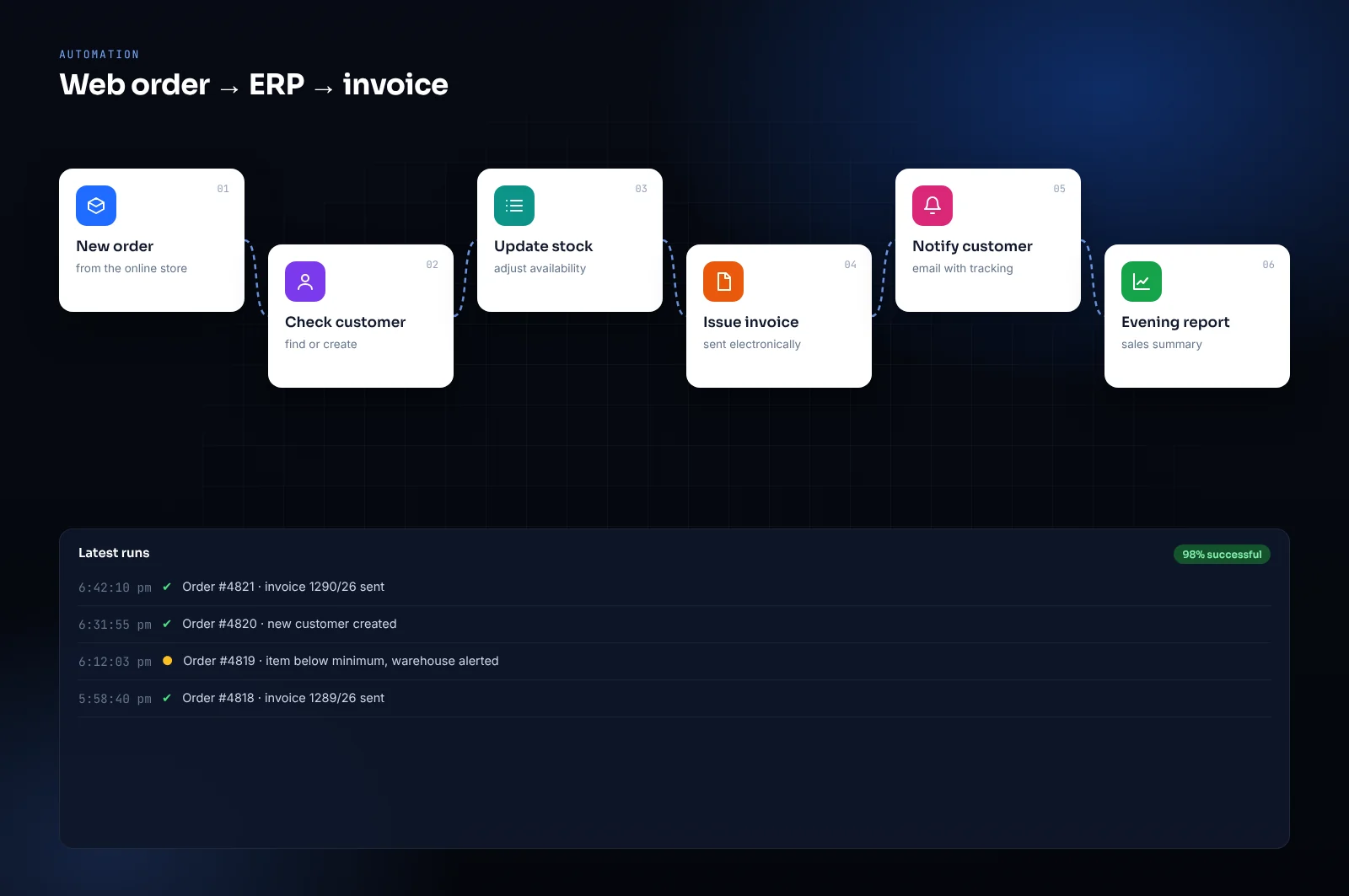
It does not take a huge project. The most useful automations are often small, and pay for themselves within weeks.
The management system, the website, email and spreadsheets stop being islands. An order arriving on the site appears in the system without anyone retyping it.
Chatbots trained on your documents, intelligent search across archives, automatic data extraction from invoices and contracts. Applied where it genuinely helps, not to be able to say it is there.
Connections to the services you already use: couriers, payments, marketplaces, e-invoicing. Imports and exports that run by themselves, at night, without anyone remembering to.
Small programs built for one job, that somebody on your team uses ten times a day. They are not impressive, they save hours.
Not everything deserves automating. The rule we use is obvious but it works: how much time the task costs in a year, against how much it costs to remove it for good.
An operation taking two hours a week is a hundred hours a year. An operation done once a month in ten minutes is not. The first pays for itself quickly, the second probably is not worth the trouble — and we tell you so, rather than selling you the automation anyway.
You always know where we are, what it costs and when it arrives. Every stage has a concrete deliverable you can see and approve before we move on.
Unlike a website or a management system, an automation has a return you can calculate with primary-school arithmetic: hours saved times hourly cost.
That makes it the kind of work where it is easiest to tell whether it is worth doing, and where we say no most often: if the sum does not add up, we tell you. Many jobs are small and take a few days of work.
As always the quote is fixed price, per individual job. No framework contract is needed: you start with one automation, see the effect on people’s time, and decide whether to carry on.
With the task you repeat most often and find most tedious. It is almost always the one with the most mistakes too, so the benefit is double. If you are not sure which it is, we find it together by looking at a typical week.
Usually no. The whole point of integrations is to make the tools you already have talk to each other, not replace them. Replacing only makes sense if what you use is itself the problem.
It is useful for specific tasks: reading and classifying documents, answering recurring questions, extracting data from free text. It is less suited where an exact, verifiable answer is needed, because it can be wrong convincingly. We propose it where the margin of error is acceptable, and say so when it is not.
Automatic alerts flag the problem to us. And that is why, during handover, the automation runs alongside the manual work: until we trust it, nothing gets switched off.
Tell us about the manual step that steals the most time. We do the sum and tell you whether automating it is worth it — including when the answer is no.
Request a free quote